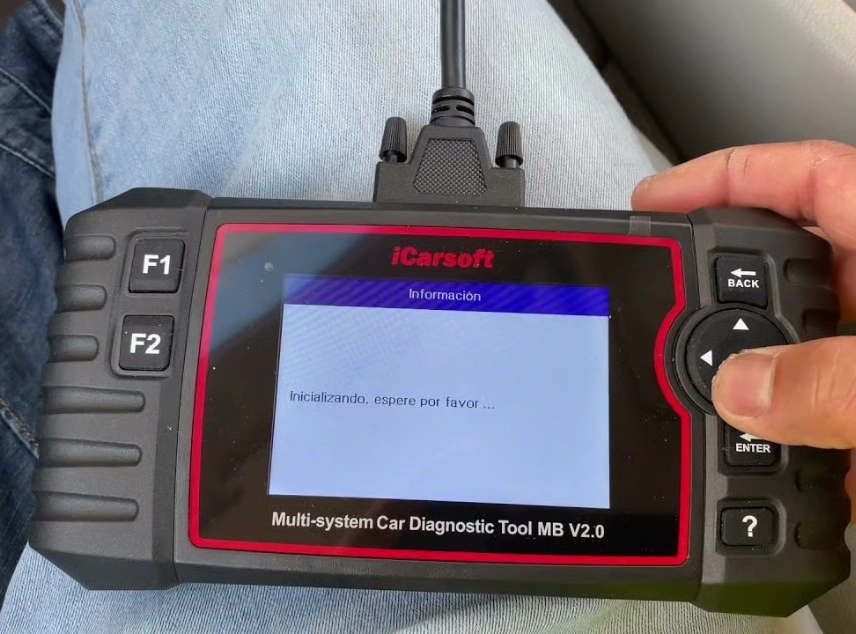
Want pro-level diagnostics for Mercedes-Benz? Let’s learn about the iCarsoft MB V2.0 main diagnostic features, how it works, and why it’s helpful for Mercedes owners.
All featured products are selected by our editors and may include affiliate links. If you purchase through these links, we may earn a commission.
It can be hard to work out what is actually wrong when a warning light comes on your Mercedes. Although a simple OBD scanner will provide you with a fault code, you might prefer to have more information about what is going on in the various systems of the vehicle.
The MB V2.0 produced by iCarsoft is made for Mercedes-Benz, Sprinter, Smart, and Maybach vehicles and is capable of scanning various electronic systems, reading and clearing up trouble codes, showing live data, and providing some service reset options. It also supports CAN-FD on the more recent Mercedes models.
How iCarsoft MB V2.0 Actually Works
The iCarsoft MB V2.0 is designed to make vehicle diagnostics easier by giving you information about different systems from one handheld device. Here are some of the main ways it can help when checking a Mercedes.
Scans Multiple Vehicle Systems
The scanner can check supported systems such as the engine, transmission, ABS, and SRS. It reads diagnostic trouble codes from these modules and can clear them when appropriate. This gives you a broader look at the vehicle instead of focusing only on engine faults.
Shows Live Vehicle Data
The MB V2.0 can display real-time information from supported sensors and control modules. This lets you see what the vehicle is reporting while you are carrying out a diagnostic check. Live data can be useful when you need more information than a stored fault code provides.
Helps With Common Service Tasks
The scanner includes several service functions that can help with routine maintenance on compatible vehicles. These include oil reset, EPB, battery management, steering angle reset, TPMS, and other supported functions. This can reduce the need for a separate tool for certain basic service tasks.
Identifies and Records Diagnostic Information
AutoVIN can identify the connected vehicle, helping you get started without entering the VIN manually. The scanner can also save diagnostic information and connect to a Windows PC for reports. This makes it easier to keep a record of previous scans or share results when needed.
Key Features of the iCarsoft MB V2.0
The iCarsoft MB V2.0 combines system diagnostics, live data, service functions, and vehicle identification in one handheld scanner.
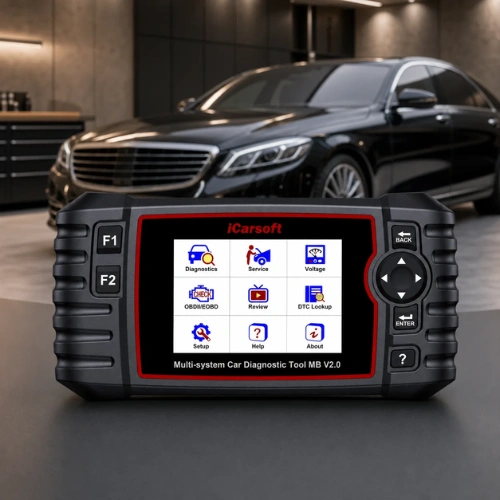
Full-System Diagnostics
The scanner can check multiple supported electronic systems instead of focusing only on the engine. It can read and clear trouble codes from systems such as the engine, transmission, ABS, and SRS. This gives you a broader view of what may be happening with the vehicle.
Live Data Monitoring
The iCarsoft MB V2.0 can display live information from supported vehicle sensors and control modules. This lets you see what the vehicle is reporting while you are carrying out a diagnostic check. It can be useful when a fault is not fully explained by a stored code alone.
10 OBD2 Test Modes
The scanner supports all 10 standard OBD2 test modes for supported vehicles. These include reading and clearing codes, viewing freeze-frame data, checking live data, and accessing vehicle information. It also supports tests for systems such as the O2 sensor and EVAP system.
Nine Service Functions
The MB V2.0 includes nine service functions for common maintenance tasks. These cover functions such as oil reset, EPB, steering angle reset, battery management, TPMS, DPF regeneration, injector coding, and ABS bleeding. Available functions can vary depending on the vehicle and its systems.
AutoVIN Identification
The AutoVIN feature can identify the vehicle automatically when the scanner is connected. This saves you from entering the VIN manually before starting a diagnostic session. It can make the setup process quicker and more convenient.
CAN-FD Support
The scanner supports CAN-FD, which is a newer communication protocol used in some modern Mercedes-Benz vehicles. This helps the MB V2.0 work with supported newer models that use this protocol. Vehicle compatibility should still be checked before purchase.
Diagnostic Reports
The scanner can save diagnostic information and connect to a Windows PC for printing reports. This can be useful if you want to keep a record of a vehicle scan or share the diagnostic results with a mechanic.
Pros and Cons of the iCarsoft MB V2.0
The MB V2.0 has a useful range of diagnostic and service features, but there are also a few limitations to consider before buying.
Pros
- Designed for Mercedes-Benz, Sprinter, Smart, and Maybach
- Full-system diagnostics on supported vehicles
- Nine service functions
- Compact handheld design
Cons
- Updates require a PC and card reader
- Some older Mercedes models need a separate 38-pin adapter
Who Should Consider the iCarsoft MB V2.0?
The MB V2.0 can be useful for Mercedes owners who want more information than a basic OBD2 reader can provide. It is also worth considering for DIY users who regularly handle routine maintenance and want access to service functions from one handheld device.
If you own an older Mercedes, check the diagnostic connection before buying. Some models use a 38-pin port and require an additional adapter.
FAQs
Does the iCarsoft MB V2.0 work with newer Mercedes-Benz models?
Yes. The MB V2.0 supports CAN-FD and is designed to work with supported newer Mercedes-Benz models. Compatibility can vary by model and year, so checking your specific vehicle is recommended.
Does iCarsoft MB V2.0 work with older Mercedes vehicles?
Yes, but some older models use a 38-pin diagnostic port rather than the standard 16-pin OBD2 connection. Those vehicles may require a separate 38-pin adapter.
Does the iCarsoft MB V2.0 require a subscription?
No. The manufacturer provides lifetime free software updates for the scanner. Updates are performed using a PC and card reader.
The iCarsoft MB V2.0 gives Mercedes owners a practical way to access vehicle diagnostics and handle several common service tasks from one handheld scanner. Its range of system checks, service functions, AutoVIN, and CAN-FD support make it more versatile than a basic code reader.If you want a dedicated scanner for your Mercedes, take a look at the iCarsoft MB V2.0 and check your vehicle's compatibility before making your decision.
Stay tuned to LeafySpark for more car essential guides.