How to Boost Your Wi-Fi Signal at Home Without Buying New Equipment
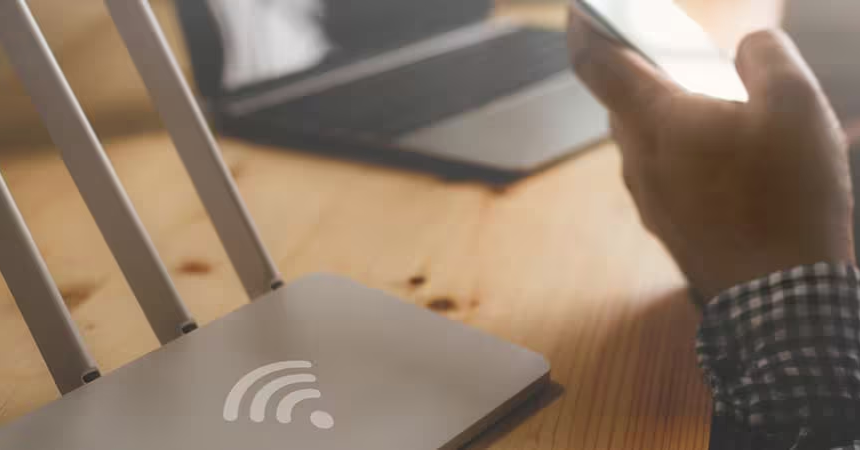
You don't need to buy anything new to fix weak Wi-Fi signals. Try these simple tricks.
Having a strong and stable internet connection has become essential in daily life. Weak Wi-Fi signals can disrupt everything, from remote work to streaming your favorite shows. Many believe improving signal strength requires buying a Wi-Fi booster or upgrading equipment, but that’s not always the case. There are plenty of easy, cost-free methods to improve your Wi-Fi signal without new purchases.
In this blog, we'll explore practical ways to enhance your home’s Wi-Fi performance by making simple adjustments, helping you enjoy a fast internet connection without breaking the bank.
How Wi-Fi Signals Function
Understanding how Wi-Fi signals function is crucial for improving them. Wi-Fi works through radio waves, which can be easily affected by various factors, such as physical obstacles, interference from other electronic devices, and even the layout of your home. Optimizing your current setup, rather than buying new equipment, can often lead to noticeable improvements.
Wi-Fi operates by transmitting data through radio waves, which are sent from your router to your devices, such as phones, laptops, and smart TVs. These radio waves carry the internet data through the air, similar to how a radio station broadcasts music.
Routers send out these waves across different frequencies, usually the 2.4 GHz and 5 GHz bands. The 2.4 GHz band covers a larger area but moves data slower, while the 5 GHz band can carry data much faster but across a shorter range.
Just like any radio wave, Wi-Fi signals can be weakened by obstacles, interference from other devices, or simply distance from the router. Thick walls, metal objects, and other electronics can block or absorb the signal, resulting in slow speeds or dead zones in certain areas of your home. The goal in improving your Wi-Fi signal is to minimize these disruptions and make the most of your router's range and power.
Reposition Your Router for Optimal Performance
A common mistake is placing the router in a corner or near the floor. The position of the router directly affects how far the Wi-Fi signal can reach. The router should be placed in a central and elevated location, ideally in the middle of your home. This positioning ensures that the signal can spread evenly in all directions, giving you better coverage.
Keeping the router away from thick walls, large metal objects, or appliances like microwaves and televisions is also key. These objects can weaken the signal, making your connection slower and more unstable. Moving the router to an open area will instantly help improve your Wi-Fi signal.
Minimize Interference from Other Devices
Many electronic devices in a home can interfere with Wi-Fi signals, such as cordless phones, baby monitors, and even microwaves. These devices operate on the same frequency bands, which can create signal interference. This leads to slower internet connection speeds and weaker Wi-Fi in certain parts of your home.
To avoid interference, keep electronic devices as far away from the router as possible. Switching your router’s channel can also help. Routers often come with default settings, but switching to a less crowded channel can significantly improve performance. You can access your router's settings to manually change the channel or allow the router to automatically select the best one.
Update Your Router’s Firmware
Keeping your router’s firmware updated is another important step. Manufacturers regularly release updates that improve performance, security, and the router’s ability to handle multiple devices. Often, these updates are overlooked, which can lead to reduced performance.
Checking for updates regularly can help boost Wi-Fi signal and keep your fast internet connection running smoothly. Firmware updates can be found in your router’s settings or on the manufacturer’s website. Applying the latest updates can make a noticeable difference in your network’s performance.
Manage Bandwidth Usage
Having multiple devices connected to your Wi-Fi network at once can slow down your internet connection. Streaming videos, downloading files, or gaming on multiple devices puts pressure on the router, leading to poor performance.
To optimize your bandwidth, disconnect devices that aren't in use. You can also use your router’s Quality of Service (QoS) feature to prioritize devices that need more bandwidth, such as a work laptop or gaming console. This ensures that the most important devices get the fastest speeds, while other devices receive less bandwidth when necessary.
Moving devices closer to the router can also help. Devices far from the router may struggle to maintain a strong connection, so placing them in proximity will help improve signal strength.
Use DIY Reflectors to Focus the Signal
If parts of your home suffer from weak Wi-Fi, you can create a simple DIY signal reflector using household materials like aluminum foil. By placing the reflector behind the router’s antennas, you can direct the Wi-Fi signal toward the areas where it’s needed most. While this isn’t as effective as buying a Wi-Fi booster, it can help improve the signal in hard-to-reach spots, such as basements or distant rooms.
There are plenty of online tutorials for making homemade reflectors, and they’re an inexpensive way to boost your Wi-Fi without spending on new equipment.
Take Advantage of Dual-Band Frequencies
Modern routers often support dual-band frequencies: 2.4 GHz and 5 GHz. Understanding when to use each frequency can improve your Wi-Fi signal. The 2.4 GHz band covers a larger area but provides slower speeds, while the 5 GHz band offers faster speeds but shorter range.
If your router supports both bands, switching between them depending on your needs can optimize your connection. The 5 GHz band is ideal for high-speed activities like streaming or gaming in areas close to the router, while the 2.4 GHz band is better for extending coverage to farther rooms.
Schedule Regular Router Reboots
Sometimes, the simplest solutions are the most effective. Routers often benefit from regular reboots, which refresh their systems and clear out any accumulated data. Keeping your router running continuously can reduce its performance over time, leading to slower speeds and unstable connections.
Rebooting the router once a week can help maintain optimal performance. You can do this manually by unplugging the router for a few minutes, or you can use automated features, if available, to schedule regular reboots.
Boosting your Wi-Fi signal doesn’t have to involve buying new equipment. You can make simple adjustments such as repositioning the router, updating firmware, and minimizing interference, and significantly improve your Wi-Fi signal. Enjoy a fast internet connection throughout your home. These practical tips can extend Wi-Fi range and ensure smoother connectivity without extra expenses.
If you’re looking for more tips to improve your home tech setup, follow LeafySparks for the latest insights and easy solutions.